JavaScript in Adobe DC could potentially be used by attackers to manipulate users or to execute malicious code locally. To align with Defender security recommendations, we have to change a registry key for Adobe DC.
Easiest way to accomplish this in Intune is with a PowerShell script.
$Path = "HKLM:\SOFTWARE\Policies\Adobe\Acrobat Reader\DC\FeatureLockDown"
$Key = "bDisableJavaScript"
$KeyFormat = "dword"
$Value = "1"

# Test to see if path exists. Create it if if not.
if(!(Test-Path $Path)) {
    New-Item -Path $Path -Force
}

# Test to see if key exists. Create key if not.
# Update key if it does exist.
if(!$Key) {
    Set-Item -Path $Path -Value $Value
} else {
    Set-ItemProperty -Path $Path -Name $Key -Value $Value -Type $KeyFormat
}
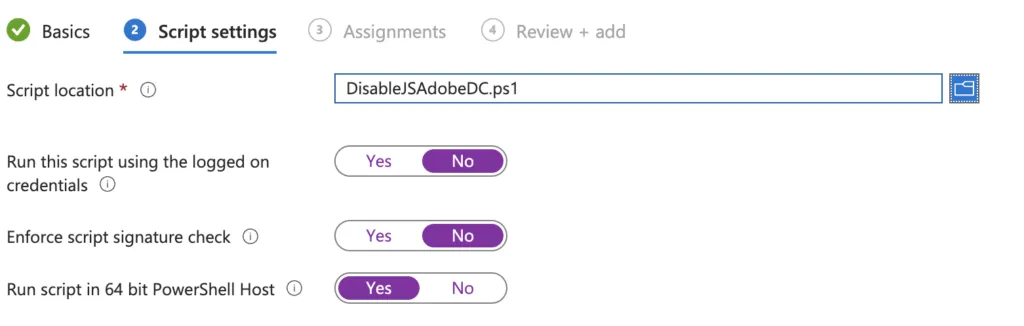
This is how I configure the script in Intune.